 Saveliny
Voice expense tracker Just say it –
Saveliny logs it.
Tap the mic and say what you spent. Saveliny understands everyday speech and turns it into a finished entry with amount, merchant, date and category.


- Data stays on your phone
- No subscription
- No account, no cloud
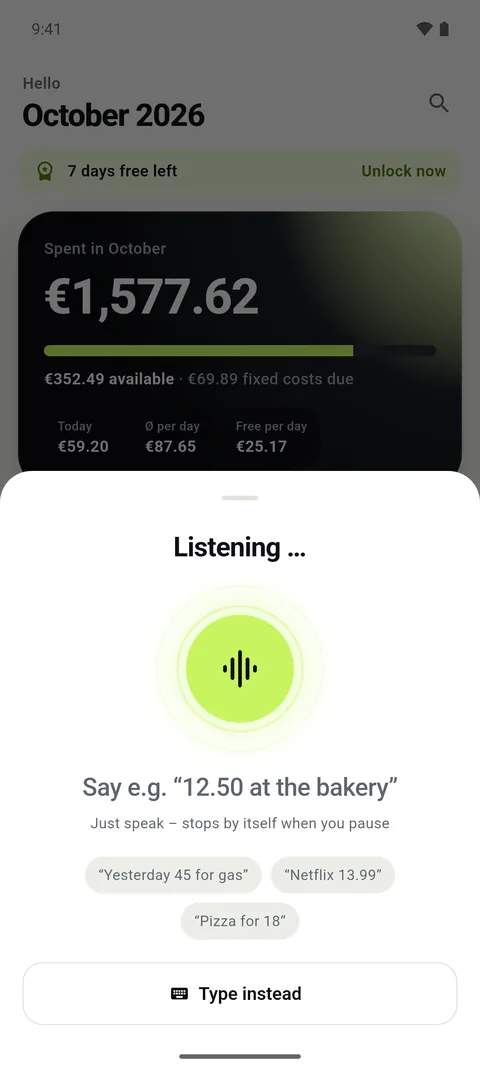
Everyday speech instead of forms
No commands to learn. Say “35 dollars gas at Shell” or “coffee 3.50 today”. Saveliny picks up amount, merchant and date, including “yesterday” or “on Friday”.
When everything is clear, the expense is saved right away. Otherwise Saveliny shows you the suggestion to check.
The category comes by itself
Known merchants and words are matched instantly. For unclear cases a small AI model helps, running entirely on your phone. Correct a category once and Saveliny remembers.
From your home screen in three seconds
Start voice input with one tap from the widget. On Android there is also a Quick Settings tile.
In your language
Voice input uses your phone’s speech recognition. Saveliny is available in 17 languages; pick the input language in settings.
Try it free for 7 days
Try every feature for free, then unlock it once. No subscription, no auto-renewal.
- Amount, merchant and date from one sentence
- Category by on-device mini AI
- Widget and Quick Settings tile
- Learns from your corrections
Frequently asked questions
What if something is recognised wrong?
You can edit any expense at any time. Saveliny remembers corrected categories for next time.
Does voice input work on iPhone and Android?
Yes. On Android a speech recognition service must be installed, for example “Speech Services by Google”.
Do I need an account?
No. Saveliny works without an account and stores everything only on your phone.